
Dual monitor configurations: primary-secondary vs symmetrical
Two-monitor setups generally fall into one of two layouts, and the choice affects posture, screen real estate, and how the workspace fits the task. Here is how they compare.
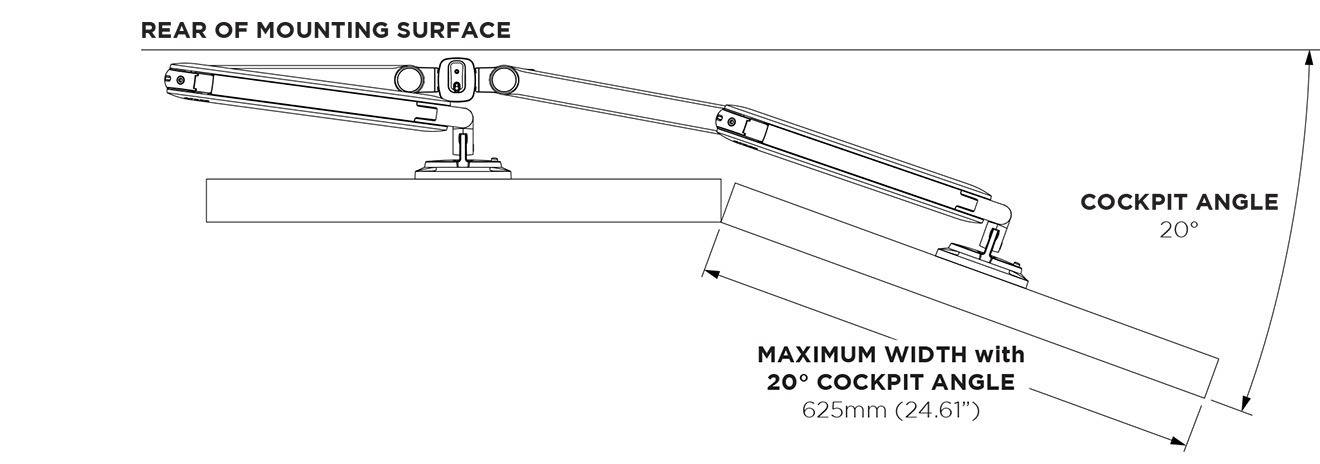
Primary-secondary monitor configuration (asymmetrical)
One monitor sits square to the user as the main working screen; the second is angled off to one side as a reference display. It suits people who spend most of their time in one application, glancing at the second screen for email, chat, or supporting documents.
Pros of Primary-Secondary
The primary screen stays directly in the ergonomic sweet spot, so neck and eye position remain neutral for the bulk of the day. The angled secondary is easy to reach and read without dominating the desk. It maps naturally to real workflows where one screen carries more weight than the other.
Cons of Primary-Secondary
It introduces a slight left or right bias, so extended work on the secondary screen means repeated head turning. It is less suited to tasks that split attention evenly across both displays, and the asymmetry can feel unbalanced in shared or hot-desk environments where users swap sides.
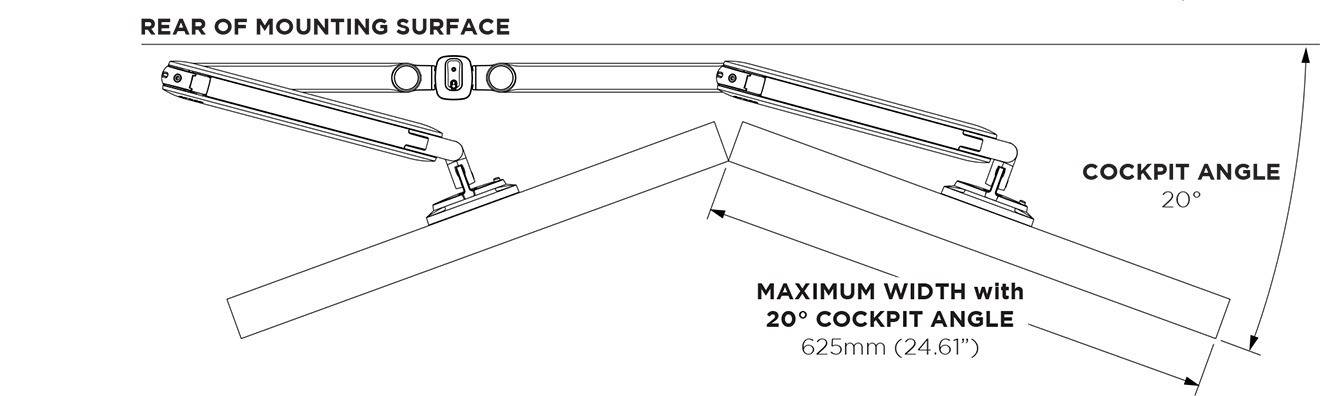
Symmetrical monitor configuration
Both monitors angle inward toward the user at matching angles, forming a shallow arc. The seam between them sits centrally, so neither screen is dominant. This layout suits work that spans both displays equally, such as trading, monitoring, editing, or comparing documents side by side.
Pros of Symmetrical
It keeps both screens within a comfortable viewing cone, minimising the head-turning that a fixed forward screen would force. Attention shifts left or right with equal ease, which is why it is common on trading floors and in control rooms. The balanced geometry also reads as tidy and deliberate in open-plan settings.
Cons of Symmetrical
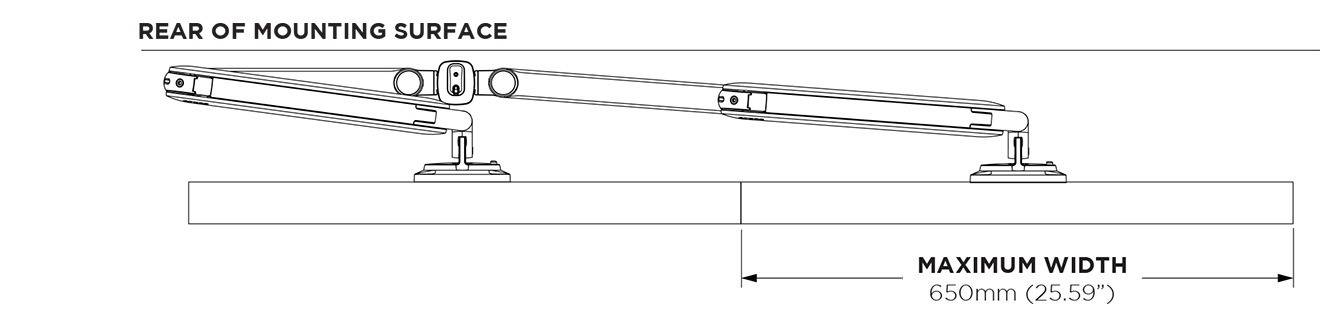
Neither screen sits perfectly square to the eyes, so a user who works predominantly in one window loses the dead-centre position that a primary screen would give. The inward angle can also reduce the effective flat width available, and a wide arc may push the outer edges beyond a comfortable reach on deeper desks.
Which to choose
The decision usually comes down to how attention is distributed. Where one task dominates, a primary-secondary layout protects posture for the screen that matters most; where work is genuinely split across two displays, a symmetrical arc keeps both equally accessible. A modular arm that allows either arrangement, and re-configuration as roles change, avoids committing a desk to one pattern permanently.
FAQs
Neither is universally better; the right choice depends on how work is split between the two screens. A primary-secondary layout keeps the main screen square to the user, which protects neck and eye position for the display used most. A symmetrical layout angles both screens inward at matching angles, so attention shifts left or right with equal ease. As a general rule, choose primary-secondary when one task dominates, and symmetrical when work spans both screens evenly.
In a primary-secondary setup, one monitor sits directly in front of the user as the main screen, while the second is angled off to one side for reference. In a symmetrical setup, both monitors angle inward toward the user in a shallow arc, with the seam between them sitting centrally so neither screen dominates. The first suits single-application workflows; the second suits work that draws on both displays equally, such as trading, monitoring, or comparing documents.
Yes. A modular, fully adjustable dual monitor arm can be set to either layout and re-configured as roles or tasks change, so a desk is not committed to one pattern permanently. This matters most in shared or hot-desk environments, where different users have different working styles, and in teams where a workstation may move between a single-focus role and a split-attention one.